Know what is due, where, and whose turn it is.

A Notion cleaning schedule and chore chart with 60 household jobs already filled in. Press Done today and the next due date moves forward by itself.

In short

A Notion cleaning schedule and chore chart with 60 jobs already filled in: see what is due today, in which room, and whose turn it is. Works on Notion's free plan.

Get it, $9 Instant download. Duplicate into your own Notion workspace.
60Jobs filled in
7Views
FreeNotion plan works
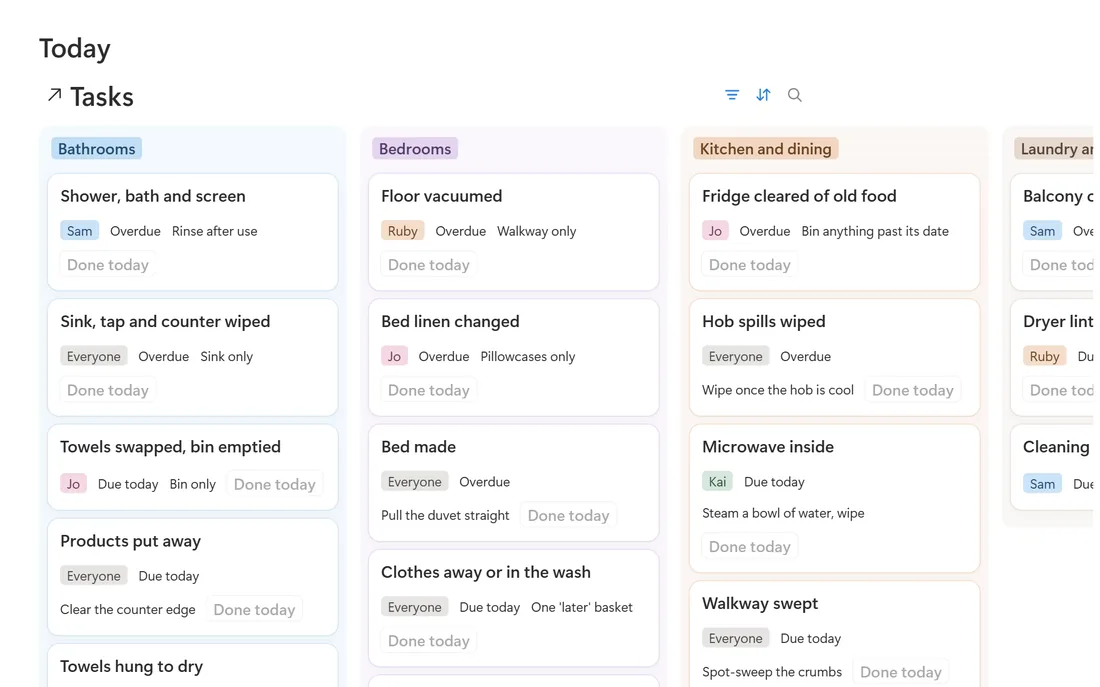
The Today view of the Notion cleaning and chore system
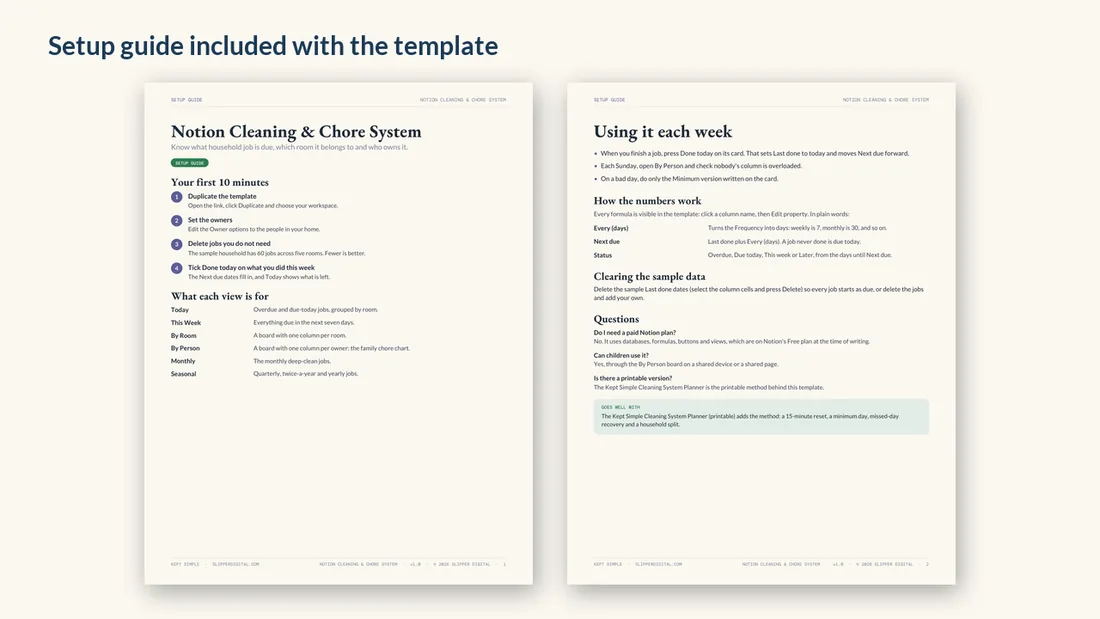
Setup guide pages
Works on Notion's free plan

You remember the bathroom when it is already bad.

Each job knows how often it happens and when it was last done, so Today shows only what is overdue or due, grouped by room.

Start here

How it works

Three steps, then it runs itself.

1

Set up the jobs

Each job has a room, an owner, a frequency from daily to yearly, and a minimum version for bad weeks.

2

Press Done today

The next due date and the status update by themselves: overdue, due today, this week or later.

3

Open Today

Only what is overdue or due today, grouped by room.

4

Check By Person on Sunday

The chore chart: one column per owner, so nobody's column is overloaded.

Start small: Rename the owners to your household, delete the jobs you do not need, and use only the Today view for the first week.
What is inside

Everything in the download

The jobs

60 jobs, room by room

The same 60 jobs as the printable Cleaning System Planner, so the two never disagree.

  • Kitchen and dining, bathrooms, bedrooms
  • Living areas and entry, laundry and outdoor
  • A minimum version on every job
TaskRoomFrequencyMinimum version
Dishes done, sink emptyKitchen and diningDailySoak the rest, clear the sink
Counters cleared and wipedKitchen and diningDailyWipe the one you cook on
Hob spills wipedKitchen and diningDailyWipe once the hob is cool
Table cleared and wipedKitchen and diningDailyClear it
Walkway sweptKitchen and diningDailySpot sweep the crumbs
Floor moppedKitchen and diningWeeklySpot mop sticky patches
Appliance fronts and handlesKitchen and diningWeeklyHandles only
Microwave insideKitchen and diningWeeklySteam a bowl of water, wipe

The first 8 of the 60 jobs that come with the template

On a bad day, do only the Minimum version written on the card.
From the setup guide
Notion Cleaning Schedule and Chore Chart Template
$9one payment

Get the full Notion Cleaning Schedule and Chore Chart Template

  • A Tasks database of 60 jobs across kitchen and dining, bathrooms, bedrooms, living areas and entry, and laundry and outdoor
  • Views: Today, This Week, By Room, By Person (your chore chart), Monthly, Seasonal and All jobs
  • A Done today button on every job
  • An on a bad day note: do only the minimum version on each card, nothing is made up tomorrow
  • A setup guide PDF that explains every formula in plain words
Get it, $9 Instant download. Duplicate into your own Notion workspace. One payment, no subscription. Refund within 30 days if it is not right for you.
Questions

Before you start

Do I need Notion Plus?

No. Everything works on the free plan.

Can each family member see their own jobs?

Yes. The By Person view groups jobs by owner. Share the page with your household in Notion.

What if I miss a week?

Overdue jobs show at the top of Today. Do the minimum version and press Done today; the schedule moves forward from there.

Before you buy

Is this the right fit?

Who should skip it

If you prefer paper, the printable Cleaning System Planner uses the same 60 jobs. The template does not send reminders: open Today when you want to see what is due.

The simpler path

The free Room by Room Cleaning Checklist covers what to clean in each room, on paper. See it here.

What is checked

Checked on 1 November 2026: the job list, views and setup guide described on this page, against the template files.